
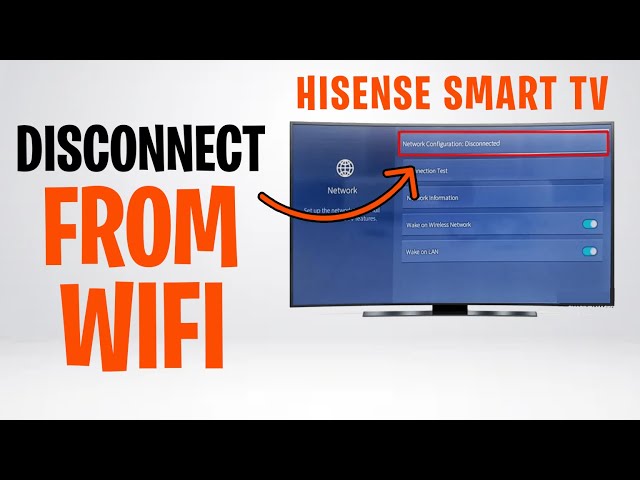
Is your Hisense TV not connecting to WiFi? It’s frustrating when you want to stream your favorite shows or browse apps, but your TV just won’t link up.
You might feel stuck, wondering why this is happening and how to fix it fast. Don’t worry—you’re not alone, and there are simple steps you can take right now to get your Hisense TV back online. Keep reading, and you’ll find easy solutions that anyone can follow to solve this common problem quickly.
Credit: www.youtube.com
Common Causes Of Wifi Issues
Wifi problems with your Hisense TV can stem from several common causes. Understanding these reasons helps fix connection issues quickly. The causes often involve the network, settings, or device software. Each factor affects how your TV connects to the internet.
Network Interference
Network interference happens when other devices disrupt your wifi signal. Microwaves, cordless phones, and walls can block or weaken the signal. This interference makes your TV struggle to stay connected or slow down the internet speed.
Incorrect Wifi Settings
Wrong wifi settings on your Hisense TV can stop it from connecting. Entering the wrong password or selecting the wrong network causes errors. Sometimes, the TV’s network settings need a reset or update to work properly.
Router Problems
Your router may cause connection issues with your TV. Old or faulty routers can fail to send a strong signal. Router settings might block new devices or limit the number of connections allowed. Restarting or updating the router often helps.
Software Glitches
Software glitches in the TV’s system can disrupt wifi connections. Bugs or outdated firmware cause the TV to freeze or lose internet access. Regularly updating the TV software can fix these glitches and improve performance.
Credit: www.makeuseof.com
Basic Troubleshooting Steps
Basic troubleshooting steps can fix most connection problems with your Hisense TV. Start with simple checks before trying complex solutions. These steps save time and often solve the issue quickly.
Follow each step carefully. Check if the TV connects to WiFi after each action. This helps find the exact cause of the problem.
Restart Your Hisense Tv
Turn off your Hisense TV completely. Unplug it from the power outlet. Wait for about one minute. Plug the TV back in and turn it on. This clears temporary errors in the system.
Reboot Your Router
Switch off your WiFi router. Unplug it from the power source. Wait for 30 seconds. Plug it back in and turn it on. This refreshes your internet connection and fixes many issues.
Check Wifi Password
Make sure you enter the correct WiFi password on your TV. A wrong password stops the TV from connecting. Check the password on another device to confirm it is right.
Move Closer To Router
Bring your Hisense TV closer to the WiFi router. Walls and distance reduce signal strength. A stronger signal helps your TV connect better and faster.
Advanced Fixes To Try
Advanced fixes can help solve WiFi connection problems on your Hisense TV. These methods go beyond basic steps and target deeper issues. Try these to restore your TV’s internet access quickly.
Update Tv Firmware
Outdated firmware can cause connection issues. Check for the latest update in your TV’s settings. Download and install any available updates. This can fix bugs and improve network performance.
Reset Network Settings
Resetting network settings clears old data that may block WiFi. Go to the network menu on your TV. Select the option to reset or forget the network. Reconnect by entering your WiFi password again.
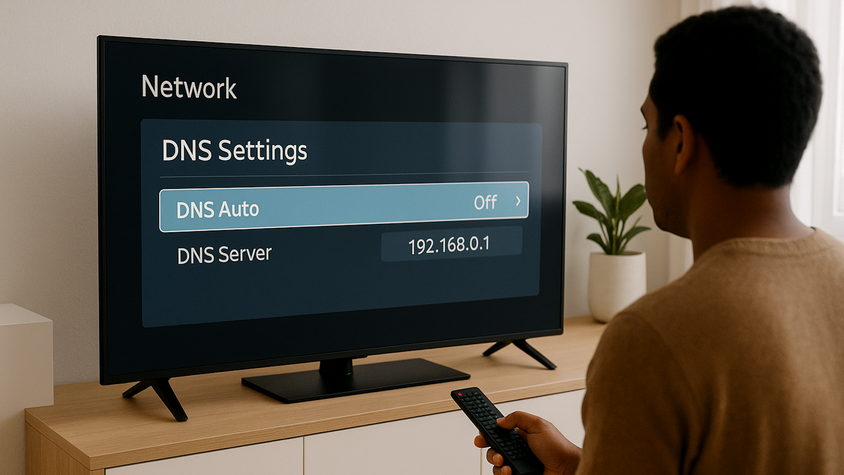
Change Dns Settings
Incorrect DNS settings can stop your TV from connecting. Open network settings and find DNS options. Switch to a public DNS like Google’s (8.8.8.8 and 8.8.4.4). Save changes and try connecting again.
Disable Vpn Or Proxy
VPNs or proxies may interfere with your TV’s internet. Turn off any VPN or proxy service active on your network. Restart your TV and router to refresh the connection. This often restores normal access.

Credit: www.youtube.com
When To Contact Support
Knowing when to contact support can save time and frustration. Some issues with your Hisense TV and WiFi need expert help. Understanding these signs helps you decide the right time to get in touch with customer service. This way, you avoid wasting effort on fixes that won’t work.
Persistent Connection Failures
Your TV keeps losing WiFi or never connects. You try restarting the TV and router, but the problem stays. Network settings are correct, and other devices connect fine. Persistent failures like these suggest a deeper problem. Support can guide you through advanced troubleshooting steps or remote diagnosis.
Hardware Issues
Sometimes, the TV’s WiFi hardware might be faulty. Signs include no WiFi signal detection or sudden drops after updates. Physical damage or wear can also cause issues. Support can confirm if hardware is the problem and advise on repair or replacement options.
Warranty And Repair Options
Your Hisense TV may still be under warranty. Support can check your warranty status quickly. They explain repair services and costs if the warranty expired. Using authorized repair centers keeps your TV safe and maintains warranty coverage. Contacting support ensures you get the correct help without extra charges.
Frequently Asked Questions
Why Is My Hisense Tv Not Connecting To Wifi?
The TV may have weak WiFi signals, wrong password, or network issues. Check these first.
How Can I Fix Hisense Tv Wifi Connection Problems?
Restart the TV and router, check password, and move the router closer to the TV.
Can Outdated Software Cause Wifi Issues On Hisense Tvs?
Yes, old software can cause problems. Update your TV’s software to fix bugs.
Does Hisense Tv Support All Wifi Networks?
Hisense TVs usually support 2. 4 GHz and 5 GHz networks, but check your model specs.
What Should I Do If Hisense Tv Says “wifi Connected But No Internet”?
Restart your modem and router. Check your internet service or try another network.
Conclusion
Fixing your Hisense TV’s WiFi issues is often simple. Check your network and restart your devices. Make sure your TV’s software is up to date. Small changes can improve your connection quickly. Stay patient and try these easy steps. A steady WiFi means better streaming and fun.
Keep your setup clean and signals strong. Enjoy watching your favorite shows without interruptions. Troubleshooting helps you get back online fast. Don’t give up; solutions are usually nearby.