
Are you struggling with Verizon 5G Home Internet problems? You’re not alone.
Many users expect blazing-fast speeds and seamless connections but find themselves facing frustrating drops, slow downloads, or unreliable service. If your internet isn’t living up to the hype, it can disrupt your work, streaming, and daily life. You’ll discover the common issues behind Verizon 5G Home Internet problems and simple steps you can take to fix them.
Keep reading to regain control of your connection and enjoy the internet experience you deserve.
Common Verizon 5g Home Issues
Verizon 5G Home Internet offers fast speeds and easy setup. Still, users face common problems that affect their experience. These issues can disrupt daily internet use and cause frustration. Understanding these common problems helps in finding quick solutions.
Connectivity Drops
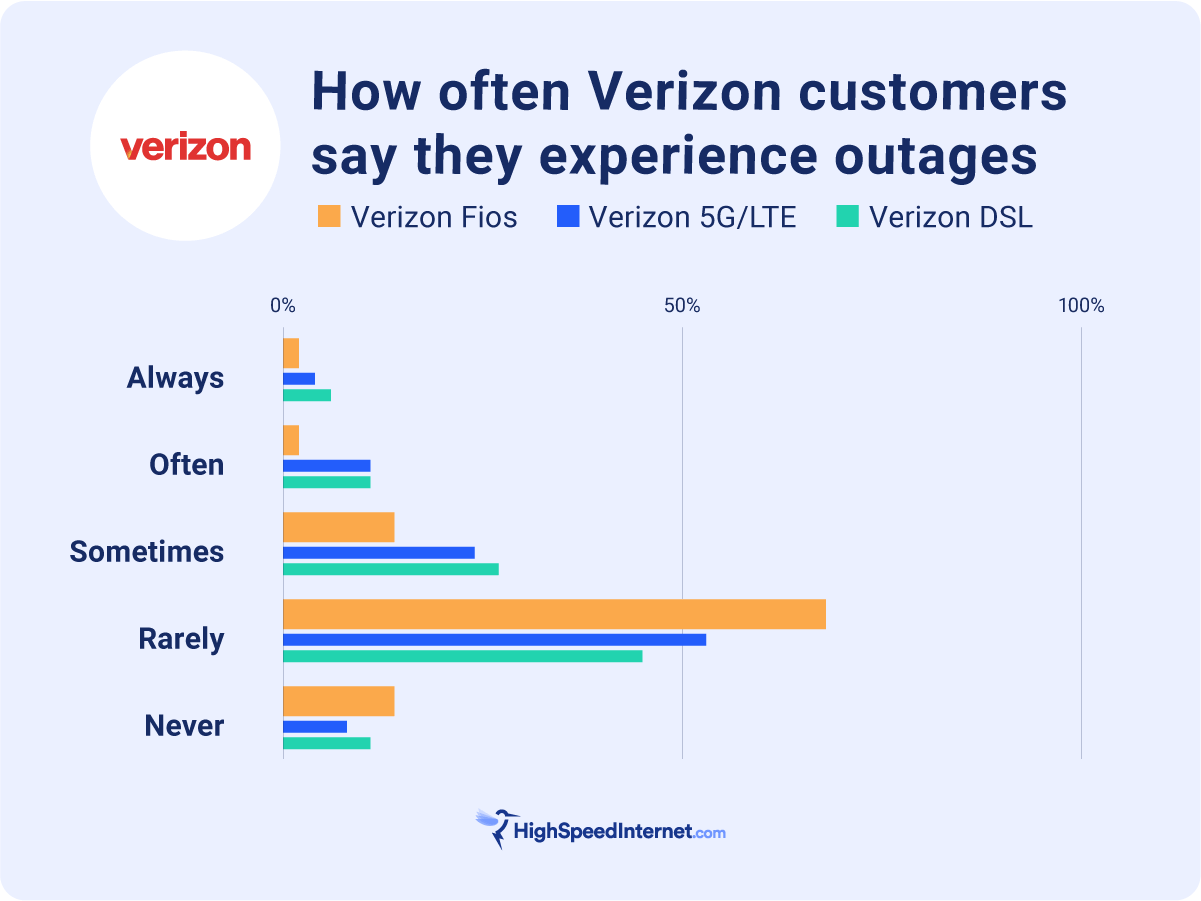
Users often report sudden connection losses. The internet may stop working without warning. This can happen during heavy network use or bad weather. Drops force users to reconnect or reset devices frequently.
Slow Speeds
Slow internet speeds are a common complaint. Sometimes, speeds drop below what Verizon promises. This slows streaming, browsing, and downloads. Network congestion and distance from towers cause slow speeds.
Router Setup Glitches
Setting up the Verizon 5G router can be tricky. Some users face errors during installation. Problems include failure to connect or incomplete setup. These glitches delay getting online and cause confusion.
Signal Interference
Signal interference affects 5G performance. Physical barriers like walls reduce signal strength. Other wireless devices can also cause interference. Weak signals lead to slower speeds and connection drops.

Credit: www.reddit.com
Root Causes Of 5g Problems
Verizon 5G Home Internet offers fast speeds but can face issues. Understanding the root causes helps users and technicians solve problems quickly. Several factors can affect the network quality and user experience.
Network Congestion
Network congestion happens when many users connect at once. This overloads the system and slows down internet speed. During peak hours, congestion often causes buffering and delays. Verizon’s 5G network shares bandwidth among users in a specific area. Too many devices online reduce available resources for each user.
Hardware Malfunctions
Hardware problems can disrupt 5G connections. The modem or router might fail or work improperly. Physical damage or manufacturing defects cause hardware malfunctions. Sometimes, poor installation leads to weak signals or frequent disconnections. Regular checks and proper setup help avoid these hardware issues.
Firmware Bugs
Firmware controls how devices operate and connect to the network. Bugs or errors in firmware can cause instability. These glitches might lead to dropped connections or slow speeds. Firmware updates often fix these problems and improve performance. Users should keep devices updated for better reliability.
Environmental Factors
Environmental elements affect 5G signals significantly. Thick walls, trees, and buildings block or weaken signals. Weather conditions like rain or snow also reduce signal strength. The distance from 5G towers matters. Greater distance means weaker signals and slower internet.
Troubleshooting Steps
Verizon 5G Home Internet can sometimes face issues. Troubleshooting helps fix common problems fast. Follow these steps to improve your connection and enjoy better service.
Restarting Equipment
Turn off your modem and router. Wait for about 30 seconds. Turn them back on. This clears temporary bugs and refreshes the connection.
Checking Signal Strength
Check the signal bars on your router. Low signals cause slow internet and dropouts. Try moving closer to a window or away from thick walls.
Updating Firmware
Firmware controls your router’s functions. Old firmware can cause issues. Visit Verizon’s website or app to check for updates. Install any new version available.
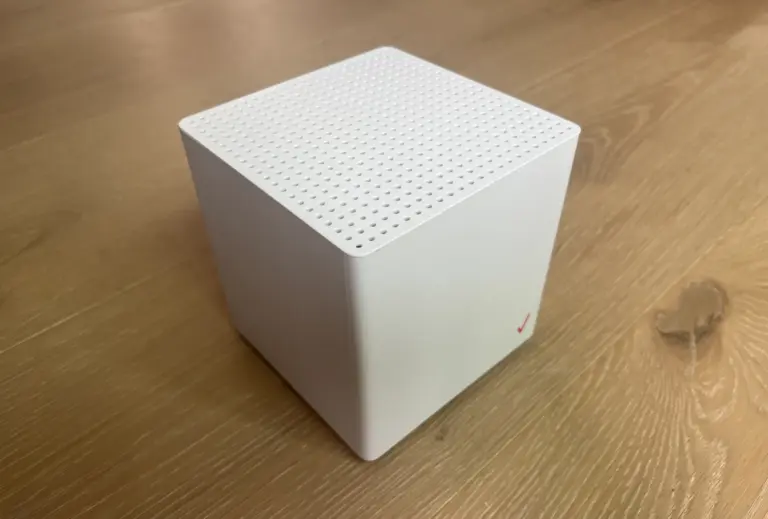
Repositioning Router
Place your router in an open area. Avoid corners, metal objects, and microwaves. Higher positions often give better signal coverage throughout your home.
Credit: www.disablemycable.com
Advanced Fixes
Advanced fixes can help solve tough Verizon 5G Home Internet problems. These steps go beyond simple resets and checks. They involve deeper changes to improve your connection. Follow these tips carefully to get better internet performance.
Factory Reset
A factory reset returns your router to original settings. This removes any wrong configurations. Press and hold the reset button for 10 seconds. Wait for the router to restart fully. Set up your network again. This step often clears hidden issues.
Using External Antennas
External antennas can boost signal strength. They catch signals better than built-in ones. Connect the antenna to the router’s antenna port. Place it near a window or higher spot. This improves reception and reduces drops. Make sure the antenna is compatible with Verizon 5G.
Switching Frequency Bands
Verizon 5G uses different frequency bands. Some bands work better in certain areas. Access your router settings. Try switching between low-band, mid-band, and high-band frequencies. Test which band gives faster speed and stronger signal. Changing bands can fix slow or unstable internet.
Contacting Support
Sometimes problems need expert help. Contact Verizon support for advanced troubleshooting. Provide details about your issue and steps taken. They can run diagnostics remotely. Ask about possible network outages or equipment replacement. Support can guide you to a lasting solution.
Preventive Tips
Verizon 5G Home Internet offers fast speeds and reliable connections. Still, some common problems can affect your experience. Taking simple steps can help avoid many issues. These preventive tips keep your internet running smoothly and reduce disruptions.
Regular Maintenance
Check your equipment often. Clean the router and modem to remove dust. Restart devices regularly to refresh the connection. Inspect cables for wear or loose connections. Regular care prevents slowdowns and dropouts.
Optimal Router Placement
Place your router in a central spot. Avoid corners, walls, and metal objects. Keep it high, like on a shelf or table. Good placement improves signal strength and coverage. This helps reduce dead zones in your home.
Monitoring Network Usage
Track how many devices use your network. Limit heavy data use during peak times. Close apps or programs not in use. Monitoring helps avoid overload and keeps speeds stable. Balance usage for better performance.
Keeping Software Updated
Update your router’s firmware regularly. Install any software updates from Verizon. Updates fix bugs and improve security. Staying current prevents connection problems and slows.
Credit: www.highspeedinternet.com
Frequently Asked Questions
What Causes Verizon 5g Home Internet Connection Issues?
Weak signal strength and network congestion often cause slow or dropped connections.
How To Fix Slow Speeds On Verizon 5g Home Internet?
Restart your router, move it near a window, or check for network outages.
Why Does Verizon 5g Home Internet Keep Disconnecting?
Interference from walls, devices, or weather can disrupt the 5G signal.
Can Verizon 5g Home Internet Work Indoors Effectively?
Yes, but thick walls and distance from the router may reduce signal quality.
How To Check Verizon 5g Home Internet Service Status?
Visit Verizon’s website or use their app to see current network outages.
Conclusion
Verizon 5G Home Internet has many benefits but also some issues. Users often face slow speeds and connection drops. These problems can be frustrating during important tasks. Checking signal strength and router placement helps improve performance. Regular updates and customer support also play key roles.
Staying aware of these challenges prepares users better. Choosing the right internet service depends on personal needs and location. Keep these points in mind for a smoother experience.