
Are you having trouble with your Phonak hearing aids? You’re not alone.
Even the best hearing aids can sometimes run into problems that affect your daily life. Whether your device isn’t working as clearly as before, or you’re facing unexpected glitches, it can be frustrating and confusing. But don’t worry—understanding these common issues and knowing how to fix them can make a big difference.
Keep reading to discover the most frequent Phonak hearing aid problems and simple steps you can take to get your sound back on track.

Credit: forum.hearingtracker.com
Common Phonak Hearing Aid Issues
Phonak hearing aids offer great sound quality but can face some common problems. Understanding these issues helps users manage them better. Many users report similar challenges, which are often easy to fix. Here are some typical problems that Phonak hearing aid users experience.
Battery Draining Quickly
Batteries in Phonak hearing aids may run out faster than expected. This can happen due to high volume settings or frequent use of wireless features. Old batteries or extreme temperatures also reduce battery life. Checking battery status regularly and replacing batteries on time can help.
Sound Distortion
Users sometimes hear unclear or distorted sounds. This can result from wax buildup or moisture inside the device. Incorrect programming or damaged microphones may cause poor sound quality. Cleaning the hearing aid and visiting a professional often resolves these problems.
Feedback And Whistling
Feedback sounds like a high-pitched whistle and can be annoying. It happens when the hearing aid fits poorly or the volume is too high. Earwax blocking the device may also cause feedback. Proper fitting and regular cleaning reduce this issue significantly.
Connectivity Problems
Phonak hearing aids connect to phones or other devices via Bluetooth. Sometimes, they fail to pair or disconnect frequently. Software glitches or outdated apps might cause connection drops. Restarting devices and updating software usually fix these problems quickly.
Physical Damage And Wear
Daily use can cause physical damage or wear to the hearing aids. Dropping them or exposing them to moisture often leads to malfunction. Regular inspections and careful handling protect the device from damage. Replacing worn parts extends the hearing aid’s life.
Battery Troubleshooting Tips
Battery issues are common with Phonak hearing aids. They can cause your device to stop working or sound weak. Understanding how to troubleshoot battery problems can help you keep your hearing aids running smoothly. Follow these simple tips to fix battery troubles quickly.
Checking Battery Contacts
Dirty or corroded battery contacts can stop power flow. Use a dry cloth or a soft brush to clean the contacts. Make sure no dirt or moisture is blocking the connection. Check if the contacts are bent or damaged. Adjust them gently if needed to ensure a tight fit.
Proper Storage And Handling
Store batteries in a cool, dry place away from sunlight. Avoid carrying loose batteries in pockets or bags. Keep batteries in their original packaging until use. Do not touch battery surfaces with wet or oily hands. Proper care extends battery life and keeps hearing aids working well.
Using Rechargeable Batteries
Rechargeable batteries save money and reduce waste. Always use chargers recommended by Phonak. Charge batteries fully before first use and avoid overcharging. Replace rechargeable batteries after about one year or if they lose power fast. Proper use improves battery performance and hearing aid reliability.
Improving Sound Quality
Improving sound quality is key to getting the best use from your Phonak hearing aids. Clear sound helps you understand speech and enjoy everyday sounds. Small fixes can make a big difference.
Cleaning Microphones And Receivers
Dust and dirt can block microphones and receivers. This reduces sound clarity and volume. Use a soft brush or cleaning tool made for hearing aids. Clean gently and regularly to keep sound clear. Avoid using water or sharp objects that may damage parts.
Adjusting Volume And Settings
Sometimes sound issues come from wrong volume or program settings. Check if the volume is too low or too high. Use the hearing aid app or remote control to adjust settings. Try different programs designed for quiet or noisy places. Small changes improve your listening experience.
Replacing Wax Guards
Wax guards stop earwax from entering the device. When clogged, they block sound and reduce quality. Replace wax guards as often as recommended by the manufacturer. Use the replacement kit that comes with your hearing aid. This simple step keeps sound clear and crisp.

Credit: forum.hearingtracker.com
Eliminating Feedback Noise
Feedback noise is a common issue with Phonak hearing aids. It creates a high-pitched whistle that can be very annoying. Eliminating this sound improves the listening experience significantly.
Several simple steps can reduce or stop feedback noise. Small changes in the device or ear can make a big difference. Understanding these steps helps users enjoy clearer sound every day.
Ensuring Proper Fit
A poor fit often causes feedback noise. The hearing aid must fit snugly in the ear canal. Loose devices let sound escape and create whistling sounds.
Visit a hearing professional to check the fit. Custom molds can improve comfort and reduce feedback. A tight fit keeps sound inside the ear.
Reducing Earwax Buildup
Earwax blocks the hearing aid speaker. This blockage can cause feedback. Clean ears help the device work better.
Use safe cleaning methods to remove earwax. Avoid sharp objects that might harm the ear. Regular cleaning keeps feedback noise low.
Adjusting Device Position
Small shifts in the hearing aid’s position affect sound quality. Moving the device slightly can stop feedback. Try different angles and depths in the ear.
Ask a hearing specialist for advice on placement. Proper positioning reduces whistling and improves hearing clarity. Small adjustments matter.
Fixing Connectivity Issues
Connectivity problems can stop your Phonak hearing aids from working well. These issues affect sound streaming and calls. Fixing them helps you enjoy clear audio and better communication.
Try simple steps first. These often solve Bluetooth and app troubles quickly. Here are some easy ways to fix your hearing aids’ connection problems.
Resetting Bluetooth Connections
Turn off Bluetooth on your phone. Wait a few seconds. Turn it back on. This refreshes the connection and clears small glitches.
Forget the hearing aids from the Bluetooth list. Then pair them again. This reset can solve pairing errors and dropouts.
Keep your phone and hearing aids close during pairing. Avoid interference from other devices. This helps create a strong connection.
Updating Firmware
Firmware is the software inside your hearing aids. Updates fix bugs and improve performance. Check for updates regularly.
Use the Phonak app or visit your hearing care professional. They can help you update the firmware safely.
Updated firmware can fix many connection problems. It keeps your hearing aids running smoothly.
Using Phonak Apps Effectively
The Phonak apps control your hearing aids and settings. Learn how to use the app well. It improves your hearing experience.
Make sure the app is updated. Updates bring new features and fix bugs.
Use the app to check connection status and manage devices. It helps you spot and fix issues fast.
Handling Physical Damage
Handling physical damage to your Phonak hearing aids is important for keeping them working well. Small accidents can cause cracks, breaks, or other issues. Acting fast helps protect your device and hearing quality.
Inspecting For Cracks And Breaks
Check your hearing aids carefully for any cracks or breaks. Look closely at the casing and buttons. Even small cracks can let moisture or dust inside. This can harm the device over time. Use a bright light and magnifying glass if needed. Regular checks help catch problems early.
Replacing Tubing And Domes
The tubing and domes on your hearing aids wear out with use. Tubing can become hard, cracked, or discolored. Domes may get clogged or lose shape. Replace these parts often to keep clear sound and comfort. Tubing and domes are easy to swap at home. Use parts made for your Phonak model.
When To Seek Professional Repair
Some damage needs expert help. If your hearing aid stops working or has deep cracks, visit a professional. Avoid trying to open or fix the device yourself. Professionals have the tools and skills for proper repairs. Regular servicing also extends the life of your hearing aids.
Preventive Care For Longevity
Taking care of Phonak hearing aids helps them last longer. Small daily habits keep them working well. Preventive care avoids common problems and costly repairs.
Simple steps protect your device from damage. These tips make sure your hearing aids stay clear and strong. Keep your hearing sharp with regular care.
Regular Cleaning Routine
Clean your hearing aids every day. Use a soft, dry cloth to wipe off dirt. Remove earwax gently with a small brush. Avoid using water or cleaning fluids. Clean devices perform better and last longer.
Avoiding Moisture And Heat
Keep hearing aids away from water and sweat. Remove them before showering or swimming. Do not leave them in hot places like cars. Heat and moisture can damage internal parts. Store aids in a dry, cool case overnight.
Scheduled Maintenance Checkups
Visit your hearing care professional regularly. They check for issues that you may not see. Professionals clean and adjust devices for best performance. Early repairs prevent bigger problems later. Follow their advice to extend hearing aid life.
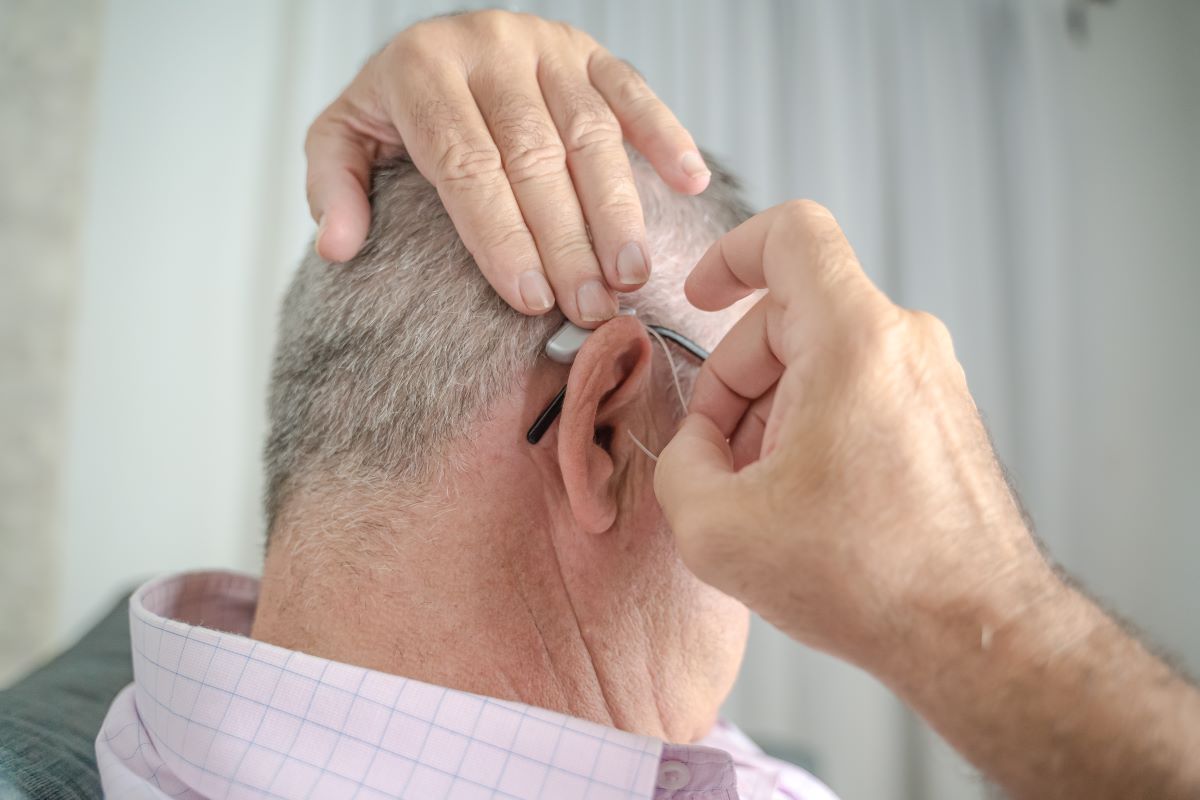
Credit: harleysthearing.co.uk
Frequently Asked Questions
What Common Issues Do Phonak Hearing Aids Face?
Phonak hearing aids often face battery drain, feedback noise, and connectivity problems with devices.
How Can I Fix Phonak Hearing Aid Feedback Noise?
Cleaning the microphones and checking for earwax buildup can reduce feedback noise in Phonak aids.
Why Is My Phonak Hearing Aid Not Connecting To Bluetooth?
Bluetooth connection may fail due to low battery, outdated software, or device pairing errors.
How Long Do Phonak Hearing Aid Batteries Usually Last?
Phonak hearing aid batteries typically last 3 to 10 days, depending on usage and model.
What Should I Do If My Phonak Hearing Aid Is Not Working?
Try restarting the device, replacing the battery, and cleaning it. Contact support if problems continue.
Conclusion
Phonak hearing aids can face some common problems. These issues may include battery life, sound clarity, or device fitting. Regular care and proper use help avoid many troubles. Always check your device and clean it often. Seek professional help if problems stay.
Understanding these problems makes hearing aid use easier. Stay patient and keep your hearing clear.