
Is your Waterpik Sonic Fusion toothbrush not working right now? It can be frustrating when a device you rely on every day suddenly stops doing its job.
You want a clean, fresh mouth, but if your toothbrush won’t turn on or isn’t performing like it should, it throws off your entire routine. Don’t worry—you’re not alone, and this problem often has simple fixes. Keep reading to find out why your Waterpik Sonic Fusion might be acting up and how you can get it back to working perfectly in no time.
Common Problems
The Waterpik Sonic Fusion toothbrush blends brushing and water flossing. It offers convenience and effective cleaning. Yet, some users face issues that stop it from working right. These common problems can usually be fixed at home. Understanding each issue helps you get your device back in action.
No Power
The toothbrush may not turn on. Check if it is charged. Sometimes, the power button might be stuck or dirty. Clean the button gently with a soft cloth. Make sure the charging base is plugged in. Resetting the device by unplugging and plugging it back helps too.
Water Flows Intermittently
Water flow might start and stop without warning. This happens if the water tank is low or not seated properly. Remove the tank and place it again firmly. Check for any blockages in the water nozzle. Cleaning the nozzle can improve water flow.
Brush Not Spinning
The brush head may stop spinning or move slowly. It could be dirty or worn out. Remove and clean the brush head carefully. Replace it if it looks damaged. Also, check if the brush locks properly onto the handle.
Low Water Pressure
Low water pressure reduces cleaning power. Make sure the tank is full. Clean the water inlet and nozzle to remove buildup. Avoid using hard water as it clogs parts faster. Regular cleaning keeps the pressure strong and steady.
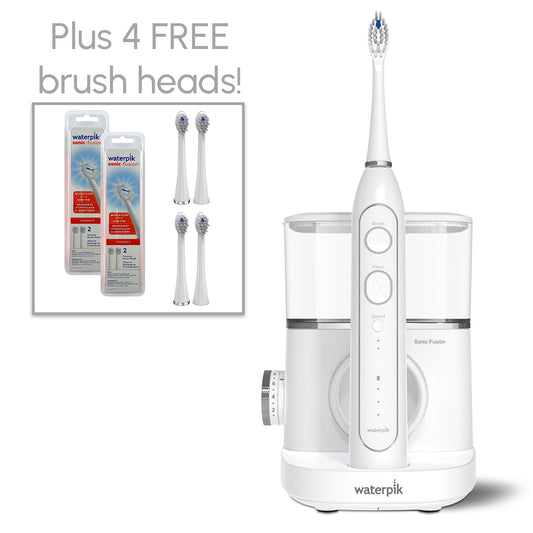
Credit: store.waterpik.com
Basic Troubleshooting
Basic troubleshooting helps fix common issues with the Waterpik Sonic Fusion toothbrush. It saves time and avoids the need for repairs. Follow these simple steps to find the problem and get your device working again.
Check Power Source
Make sure the toothbrush is properly plugged in. Check if the outlet has power by testing another device. Look for any visible damage on the power cord. A loose or broken connection can stop the toothbrush from working.
Inspect Water Reservoir
Remove the water reservoir and check for cracks or leaks. Clean the reservoir to remove any dirt or buildup. Refill it with clean water. A dirty or empty reservoir can block water flow and affect performance.
Clean Brush Head And Nozzles
Remove the brush head and rinse it under warm water. Clean the nozzles to remove any debris or toothpaste residue. Use a soft brush to clean hard-to-reach areas. Clogged nozzles reduce water pressure and may stop the device.
Reset The Device
Turn off the toothbrush and unplug it from the power source. Wait for about one minute to clear the memory. Plug it back in and turn the device on. Resetting can fix minor software glitches and restore normal function.
Advanced Fixes
Advanced fixes help solve issues that basic steps cannot. These methods dig deeper into the problem. They require more care and attention but often bring the Waterpik Sonic Fusion back to life. Follow the steps below carefully to restore your toothbrush.
Replace Batteries Or Charge
Check if your Waterpik Sonic Fusion has enough power. Replace old batteries with fresh ones if it uses batteries. For rechargeable models, plug it into the charger. Let it charge fully for several hours. A weak battery often stops the device from working properly.
Unclog Water Lines
Water flow issues may cause the device to stop working. The water lines can get clogged with dirt or mineral build-up. Remove the water reservoir and clean all tubes gently. Use warm water to flush out any blockages. This helps restore normal water flow and device function.
Check Internal Connections
Loose or damaged internal connections can cause failure. Open the device carefully if you can. Look for wires that are disconnected or broken. Secure or replace loose connections. Be careful not to damage any parts during this process. Proper connections ensure smooth operation.
Update Firmware If Applicable
Some newer models support firmware updates. Check the official website or app for update options. Follow the instructions to download and install the latest firmware. Updates fix bugs and improve performance. Keeping firmware current can solve many technical issues.
Maintenance Tips
Maintaining your Waterpik Sonic Fusion toothbrush keeps it working well. Simple care steps prevent many common problems. Follow these tips to extend your toothbrush’s life and ensure strong cleaning power.
Regular Cleaning Routine
Clean the toothbrush after every use. Rinse the brush head and water flosser well. Remove toothpaste and debris to stop buildup. Wipe the handle and base with a damp cloth. Avoid using harsh chemicals that can damage parts.
Proper Storage
Store the toothbrush in a dry place. Avoid humid spots like the shower. Keep the brush head upright to air dry quickly. Cover the brush head with a ventilated cap. This reduces bacteria growth and keeps it fresh.
Avoiding Common Damage
Do not drop or knock the toothbrush. Avoid using too much water on the handle. Keep the device away from extreme heat or cold. Disconnect the charger if not in use for long. These actions help prevent internal damage.
When To Replace Parts
Change the brush head every three months. Replace worn or damaged parts immediately. Check seals and connectors regularly for leaks. Using fresh parts ensures good cleaning and prevents malfunction.
When To Seek Professional Help
Knowing when to seek professional help for your Waterpik Sonic Fusion toothbrush can save time and money. Some problems need expert care beyond simple fixes. Understanding the right time to ask for help protects your device and ensures it works well.
Warranty And Support
Check your toothbrush’s warranty status first. The warranty may cover repairs or replacements. Contact Waterpik support for guidance on warranty claims. They provide clear steps to follow for service. Using the warranty can avoid extra costs.
Authorized Repair Centers
Use authorized repair centers only. These centers have trained technicians and original parts. Repairs done here maintain your device’s quality. Unauthorized fixes may void the warranty. Locate the nearest center through Waterpik’s official website.
Avoiding Diy Risks
Fixing the toothbrush yourself can cause more damage. Small parts and electronics need careful handling. DIY repairs may lead to electric shocks or water damage. Professionals have the right tools and skills. It is safer to trust experts for complex issues.
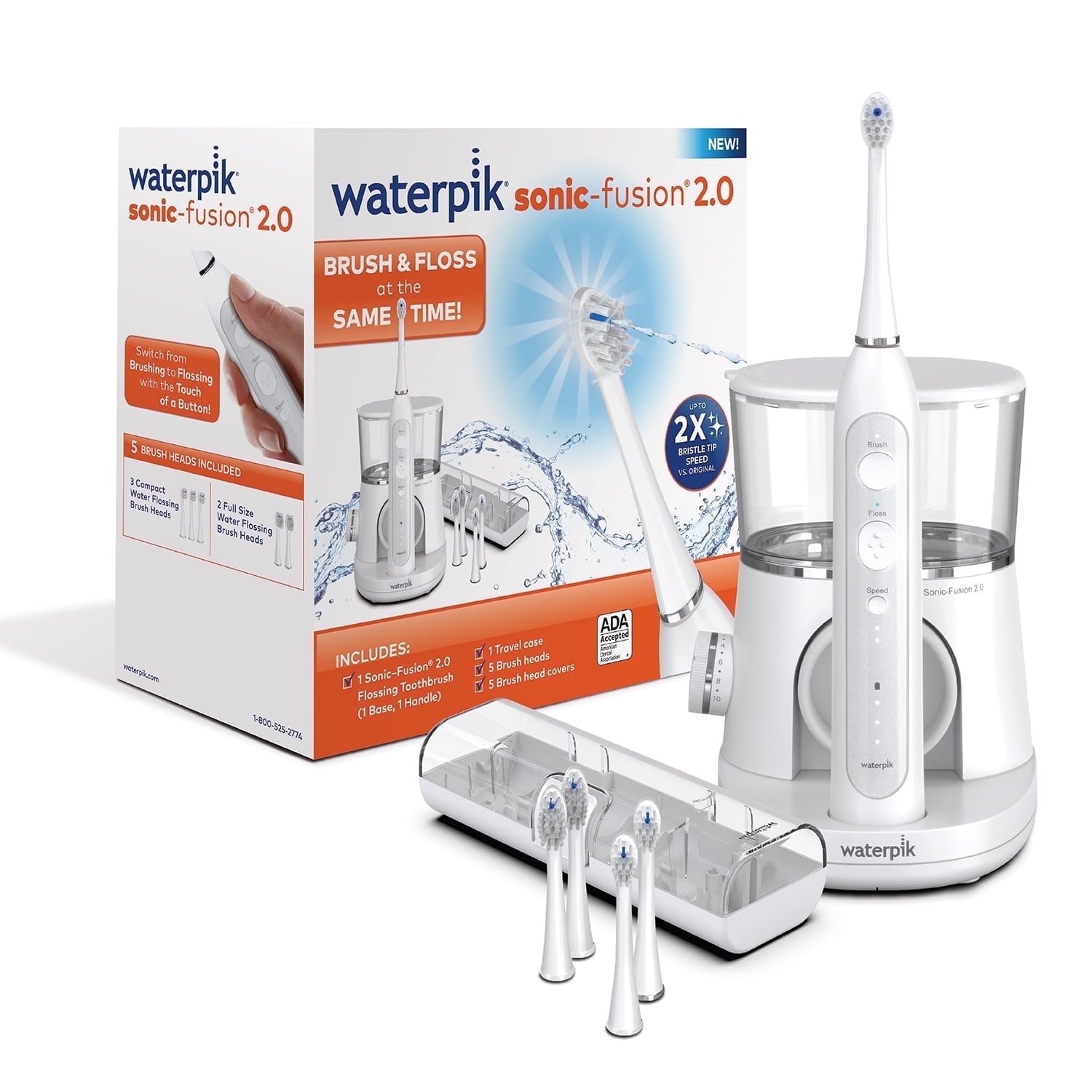
Credit: www.walmart.com

Credit: www.amazon.com
Frequently Asked Questions
Why Is My Waterpik Sonic Fusion Toothbrush Not Turning On?
Check if the toothbrush is charged or the power button is stuck.
How Do I Fix A Waterpik Sonic Fusion That Won’t Charge?
Clean the charging base and ensure the toothbrush is placed correctly.
What Causes The Brush Head To Stop Spinning Suddenly?
The brush head might be worn out or not attached properly.
Can Water Damage Cause My Waterpik Sonic Fusion To Fail?
Yes, excess water entering the device can cause electrical issues.
When Should I Replace The Waterpik Sonic Fusion Toothbrush Battery?
Replace the battery if the brush loses power quickly or won’t charge.
Conclusion
Waterpik Sonic Fusion toothbrush not working can be fixed with simple steps. Check the battery and charging first. Clean the brush head and handle to remove dirt. Reset the device by turning it off and on. If problems stay, contact customer support for help.
Regular care keeps your toothbrush working well. Don’t ignore small issues; fix them early. Your smile deserves a healthy clean every day. Keep your Waterpik in good shape for best results.