
Is your Ativa shredder suddenly refusing to work when you need it most? It’s frustrating when your trusted office tool stops shredding important documents, leaving you stuck and stressed.
But don’t worry—you’re not alone, and there are simple steps you can take to fix the problem quickly. Keep reading to discover why your Ativa shredder might not be working and how you can get it back up and running today.
Your peace of mind is just a few easy fixes away.
Common Causes Of Ativa Shredder Issues
Ativa shredders are reliable, but problems can happen. Understanding common causes helps fix issues fast. Many problems come from simple things that block the shredder’s work.
Knowing what stops your Ativa shredder from working saves time. It also protects the machine from damage. Here are the most frequent causes of Ativa shredder troubles.
Power Supply Problems
Power issues often cause shredders to stop working. Check if the shredder is properly plugged in. Make sure the outlet is working by testing with another device. A loose cord or damaged plug can cut power. Sometimes, the shredder’s fuse or circuit breaker trips. Reset the breaker or replace the fuse as needed. Without steady power, the shredder will not run.
Jammed Blades
Blades can jam from too much paper or wrong materials. Shredding thick stacks or staples causes jams. Paper clips and plastic also block the blades. Jammed blades stop the shredder immediately. Never force the blades as this causes damage. Clear jams carefully by removing stuck paper. Use the reverse mode to help free the blades.
Overheating
Shredders overheat if used for too long. The motor needs rest after continuous shredding. Overheating triggers an automatic shutdown to protect the shredder. Let the shredder cool for 30 minutes before restarting. Avoid shredding large amounts in one go. Frequent breaks increase the shredder’s lifespan.
Sensor Malfunctions
Sensors control the shredder’s start and stop functions. Dust or debris can block sensors. This makes the shredder stop or not start at all. Clean the sensor area gently with a dry cloth. Faulty sensors may need professional repair. Sensor issues can look like power problems but differ in cause.

Credit: www.amazon.com
Basic Troubleshooting Steps
When your Ativa shredder stops working, basic troubleshooting helps find simple fixes fast. These steps often solve common problems without extra tools or parts. Follow each step carefully to avoid damage and get your shredder running again.
Checking The Power Connection
First, check if the shredder is plugged into a working outlet. Sometimes, the power cord may be loose or unplugged. Try a different outlet to rule out power issues. Ensure the power switch is turned on. A quick power check saves time.
Clearing Paper Jams
Paper jams block the shredder from working properly. Open the shredder’s feed slot and look for stuck paper. Gently pull out any jammed sheets, using both hands. Avoid pulling hard to prevent tearing paper inside. Clear jams step by step to avoid damage.
Resetting The Shredder
Resetting the shredder can fix minor electrical glitches. Turn off the shredder and unplug it from the outlet. Wait for about two minutes. Plug it back in and switch it on. This refreshes the machine and may restore normal function.
Inspecting The Safety Sensors
Safety sensors stop shredders if the cover is open or if sensors detect issues. Check if the shredder’s door or bin is properly closed. Clean any dust or debris near sensor areas with a dry cloth. Proper sensor function is key for safe operation.
Maintenance Tips For Optimal Performance
Keeping your Ativa shredder in good shape helps it work better and last longer. Regular care stops problems and keeps the machine running smoothly. Follow these simple maintenance tips to get the best performance from your shredder every day.
Regular Cleaning
Dust and paper bits can block the shredder’s blades. Clean the shredder often to avoid jams. Use a soft cloth to wipe the outside. Turn the shredder off and unplug it before cleaning inside. Clear out small paper pieces stuck in the blades carefully. This stops damage and keeps the shredder cutting well.
Proper Lubrication
Shredders need oil to keep blades moving easily. Apply shredder oil on the blades every few uses. Use oil made for shredders only. This reduces friction and prevents overheating. Avoid using too much oil. Proper lubrication extends the shredder’s life and boosts its power.
Avoiding Overload
Putting too many sheets in at once can break the shredder. Check the shredder’s sheet limit before use. Feed papers slowly and in small amounts. Overloading causes jams and motor strain. Let the shredder rest after heavy use. This keeps it safe and working well.
Using The Correct Paper Size
Cutting large or thick papers can harm the shredder. Use paper sizes that fit the shredder slot. Avoid cardboard, plastic, or metal items. These materials can damage the blades. Following size rules prevents problems and keeps shredding smooth.

Credit: www.ebay.com
When To Seek Professional Help
Knowing when to seek professional help for your Ativa shredder saves time and prevents further damage. Some problems need expert tools and skills. Trying to fix complex issues alone might cause more harm. Here are signs that indicate it’s time to call a technician.
Persistent Mechanical Issues
If the shredder jams often or does not shred properly, it might have mechanical faults. Unusual noises or stuck blades show internal problems. Repeated attempts to fix these issues without success mean professional repair is needed. Experts can open the device safely and fix broken parts.
Electrical Faults
Shredders that fail to turn on or suddenly stop working may have electrical problems. Flickering lights or burning smells indicate wiring or motor issues. Handling electrical faults without knowledge is risky. Certified technicians have the right tools to diagnose and fix these safely.
Warranty And Service Options
Check if your Ativa shredder is still under warranty before any repair. Many warranties cover parts and labor for a set time. Using authorized service centers keeps the warranty valid. Professionals working under warranty ensure genuine parts and proper service for long-term use.
Preventive Measures To Avoid Future Problems
Preventive measures help keep your Ativa shredder working well for a long time. Taking simple steps can stop many problems before they start. These easy habits save time and money by avoiding repairs and breakdowns.
Scheduled Maintenance
Regular maintenance keeps the shredder parts clean and sharp. Clear jammed paper quickly to avoid damage. Oil the blades every month to prevent rust and wear. Check the shredder’s manual for specific care instructions. Routine checks make sure the machine runs smoothly without interruptions.
Safe Operating Practices
Only shred paper types recommended by the manufacturer. Avoid feeding too many sheets at once. Do not shred staples, paper clips, or thick materials. Turn off the shredder before removing stuck paper. Use the shredder in short bursts to avoid overheating. These steps protect the shredder from common issues.
Storing The Shredder Properly
Place the shredder in a dry, clean area away from dust. Avoid direct sunlight or damp spaces to prevent damage. Unplug the shredder when not in use for a long time. Cover it with a cloth to keep dust off. Proper storage extends the shredder’s life and performance.
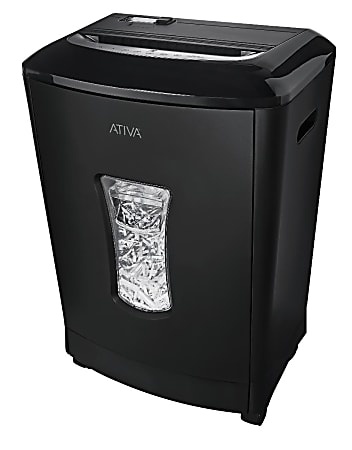
Credit: www.officedepot.com
Frequently Asked Questions
Why Is My Ativa Shredder Not Turning On?
Check if the shredder is plugged in and the power switch is on. Also, ensure the outlet works.
How To Fix Paper Jams In Ativa Shredder?
Turn off the shredder, remove stuck paper carefully, and use reverse mode to clear jams.
What Causes The Ativa Shredder To Overheat?
Continuous use without breaks causes overheating. Let the shredder cool down for 30 minutes.
How Often Should I Oil My Ativa Shredder?
Oil the shredder blades after every 30 minutes of use to keep it running smoothly.
Can Shredded Paper Cause Ativa Shredder Problems?
Yes, too much shredded paper in the bin can block the shredder. Empty it regularly.
Conclusion
Troubleshooting the Ativa shredder need not be hard. Check power supply and connections first. Clear any paper jams carefully. Clean the blades regularly for smooth operation. Follow the user manual for specific steps. Small fixes often solve common problems. Keep your shredder in a dry, cool place.
Regular maintenance helps avoid future issues. Stay patient and try these simple tips. Your shredder can work well again soon.