
Is your Linak bed remote not working when you need it most? It’s frustrating when you try to adjust your bed for comfort, and the remote just won’t respond.
You rely on this simple device to make your life easier, but now it feels like it’s letting you down. Don’t worry—you’re not alone, and there are clear steps you can take to fix the problem fast. Keep reading, and you’ll discover practical solutions to get your Linak bed remote back in action, so you can enjoy the comfort and convenience you deserve.
Common Causes Of Linak Bed Remote Issues
Linak bed remote issues can happen for several reasons. Understanding common causes helps fix problems faster. Most problems relate to power, connection, or internal faults. This section explains the main reasons the remote may stop working.
Battery Problems
Weak or dead batteries cause the remote to lose power. Low battery charge stops signals from sending correctly. Batteries may leak or corrode, damaging the contacts inside. Always check battery health first when the remote fails.
Connection Interruptions
The remote connects to the bed motor through wireless or wired links. Loose wires or damaged cables break the connection. Wireless signals can be blocked by walls or other devices. Interference stops commands from reaching the bed mechanism.
Mechanical Failures
Buttons on the remote can wear out or get stuck. Internal switches may break from heavy use or drops. The bed motor or control box may also fail. Mechanical faults stop the bed from responding even if the remote sends signals.
Software Glitches
Software inside the remote or bed control can freeze or crash. Firmware bugs cause erratic or no response to commands. Updates or resets may be needed to fix these issues. Software problems block normal operation without physical damage.
Quick Battery Checks And Replacements
Quick battery checks and replacements often solve Linak bed remote issues. Batteries lose power over time. Weak batteries cause the remote to stop working or respond slowly. Checking the battery health first saves time and effort. Replacing old batteries with new ones restores the remote’s performance.
Identifying Battery Type
Most Linak bed remotes use standard AA or AAA batteries. Some models may have button cell batteries. Check the remote’s battery compartment for labels or numbers. The user manual also lists the correct battery type. Use the exact type to avoid damage or poor performance.
How To Replace Batteries
Open the battery cover carefully. Remove old batteries one by one. Insert new batteries matching the positive (+) and negative (-) ends. Close the cover tightly. Do not force the cover, or it might break. Use fresh batteries to ensure good power supply.
Testing Battery Performance
After replacement, test the remote by pressing different buttons. The remote should respond immediately. If it still does not work, check the battery contacts for dirt or corrosion. Clean contacts gently with a dry cloth or an eraser. Test again to confirm proper function.
Resetting The Remote And Bed Controls
Resetting the remote and bed controls can fix many common problems with your Linak bed system. It helps clear errors and refresh the connection between the remote and the bed. This section explains simple reset steps to get your remote working again. Follow these easy methods before calling for repairs.
Performing A Soft Reset
A soft reset restarts the remote without changing any settings. First, remove the batteries from the remote. Wait about 30 seconds. Then, put the batteries back in. Press any button to turn the remote on. This quick reset can fix small glitches and improve response time.
Factory Reset Procedures
A factory reset restores the remote and bed controls to original settings. This step erases all custom settings. To start, locate the reset button on the control box under the bed. Hold it down for 10 seconds until the lights blink. Release the button and wait for the system to reboot. After this, you must re-pair the remote with the bed following the manual’s instructions.
When To Reset The Bed System
Reset the bed system if the remote does not respond at all. Try a soft reset first. If problems continue or settings are corrupted, use the factory reset. Also reset if the bed moves on its own or buttons stick. Regular resets keep the system running smoothly and prevent bigger issues.

Credit: wontlab.com
Inspecting And Repairing Wiring
Inspecting and repairing wiring is a key step in fixing a Linak bed remote that does not work. Wiring issues can stop signals from reaching the bed motor. Small faults often cause big problems. Checking wires carefully helps find and fix these faults. This process saves time and money compared to replacing parts.
Wiring inspection requires patience and attention. Look for loose connections, broken wires, or signs of wear. Fixing wiring can restore full function to the remote and bed.
Locating Common Wiring Issues
Start by unplugging the bed from power. Check all visible wires for cuts or damage. Look for loose plugs or connectors. Inspect wiring near the remote control and motor. Broken or frayed wires cause signal loss. Corrosion on connectors blocks electricity flow. Sometimes wires get pinched or twisted inside the bed frame.
Safe Handling Tips
Always unplug the bed before handling wires. Use insulated tools to avoid electric shock. Do not pull wires forcefully. Wear gloves to protect your hands. Work in a dry area to prevent slips or shorts. Mark wires before disconnecting to reconnect correctly. Avoid touching metal wire parts directly.
Diy Repair Steps
Trim damaged wire ends using wire cutters. Strip a small section of insulation gently. Twist wire strands tightly to prepare for joining. Use wire connectors or electrical tape to secure joins. Test the remote after repairs before full reassembly. Replace badly damaged wires with new ones of the same type. Keep wires organized to avoid future damage.
Software Updates And Firmware Fixes
Software updates and firmware fixes play a key role in keeping your Linak bed remote working smoothly. These updates improve performance and fix bugs that cause the remote to stop working. Updating your device ensures it stays compatible with new features and hardware changes.
Understanding how to check for updates and install firmware correctly can save time and avoid frustration. Sometimes, problems arise during updates. Knowing how to troubleshoot these issues helps maintain your remote’s functionality.
Checking For Latest Updates
Start by visiting the official Linak website or app. Look for the support or downloads section. Check if your remote model has a new firmware version available. Ensure your device is connected to the internet or a computer for update access.
Regularly checking updates prevents missing important fixes. Updates may include security patches or performance improvements. Confirm your remote’s current firmware version before downloading any files.
Installing Firmware Correctly
Follow the update instructions exactly as provided by Linak. Connect your remote or bed control box to a computer using the proper cable. Use the official software tool to load the new firmware.
Do not interrupt the update process once it starts. Power loss or disconnection can cause more problems. After installation, restart your device to apply changes.
Troubleshooting Update Failures
If the update fails, check your internet connection first. Try restarting your computer or device. Use a different USB cable or port if connection errors appear.
Clear any software cache and close other programs before trying again. If the problem continues, contact Linak support with error details. Avoid forcing updates or using unofficial software versions.
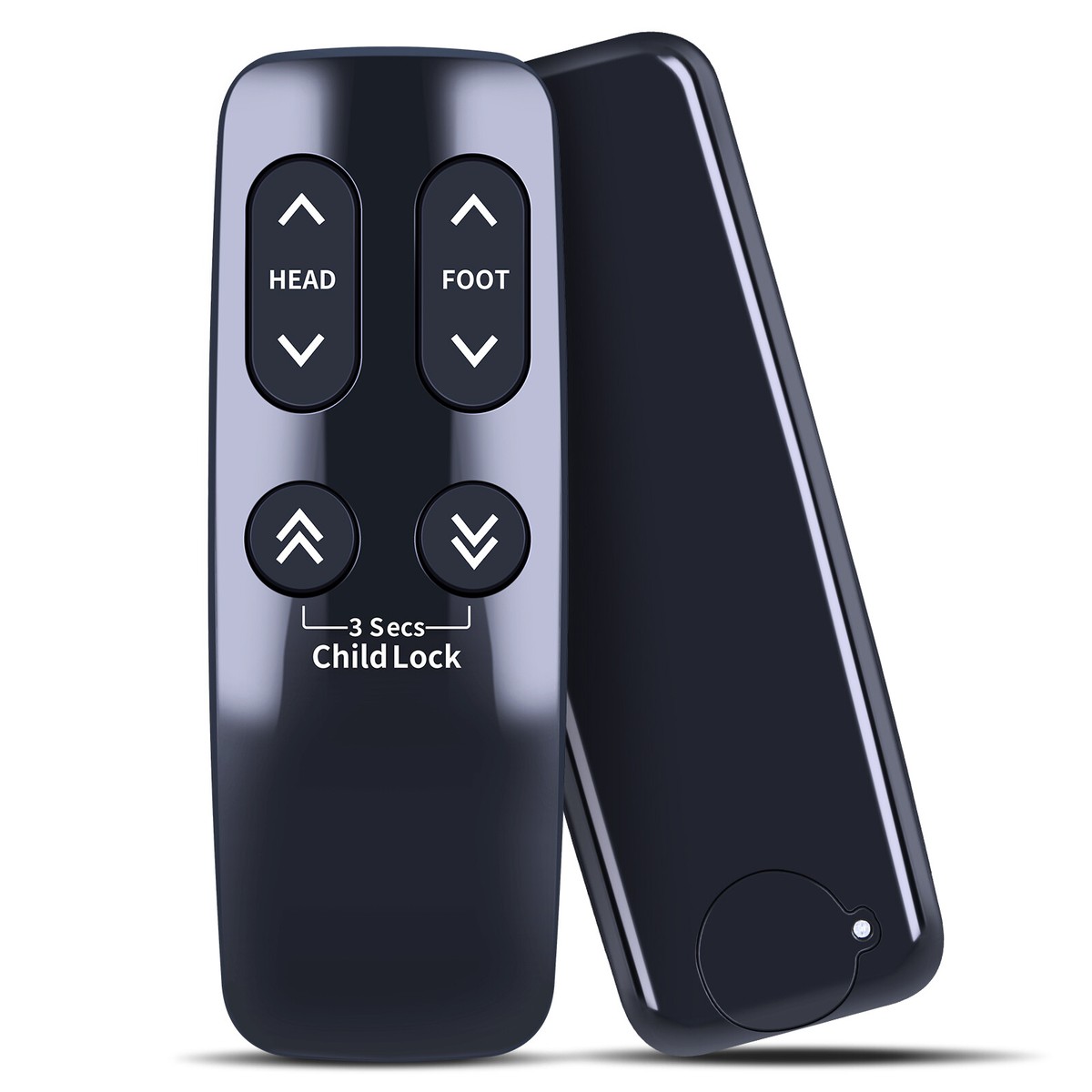
Credit: www.ebay.com
When To Contact Professional Support
Knowing when to contact professional support for your Linak bed remote saves time and frustration. Some problems need expert care to avoid damage and ensure safety. Acting early can prevent bigger issues.
Signs You Need Expert Help
The remote does not respond at all. Buttons work sometimes but not always. The bed moves on its own or stops suddenly. You see error lights on the remote or control box. Batteries drain very fast. Strange noises come from the motor or control unit. Basic troubleshooting like changing batteries or resetting fails.
How To Reach Linak Support
Find the official Linak website for contact details. Use the phone number or email listed for customer service. Some regions offer live chat support for quick answers. Keep your bed model and remote details ready. Contact during business hours for faster response. Check for local Linak dealers or service centers as well.
What To Prepare Before Calling
Write down the problem clearly and in detail. Note when the issue started and how often it happens. Have your bed model number and remote serial number handy. Try simple fixes like changing batteries or resetting the remote first. Keep your purchase receipt or warranty info ready. This helps the support team assist you faster.
Preventive Tips To Avoid Future Remote Problems
Preventing issues with the Linak bed remote is easier than fixing them. Simple daily steps keep the remote working well. These tips save time and avoid frustration. Follow these easy actions to protect your remote’s function and durability.
Regular Maintenance Routines
Clean the remote often using a soft, dry cloth. Avoid harsh chemicals that can damage buttons or screens. Check the battery compartment for corrosion or leaks. Replace batteries before they run out completely. Test buttons regularly to catch problems early.
Proper Storage And Handling
Keep the remote in a dry, cool place when not in use. Avoid dropping or rough handling, which can break internal parts. Use a dedicated holder or tray near the bed. Prevent exposure to water, dust, or direct sunlight. Handle the remote gently to extend its life.
Avoiding Common Mistakes
Do not press buttons too hard or repeatedly. Avoid mixing old and new batteries in the remote. Never use the remote if it feels sticky or wet. Keep food and drinks away from the remote. Teach family members how to use it properly to prevent damage.

Credit: www.youtube.com
Frequently Asked Questions
Why Is My Linak Bed Remote Not Working?
The remote may have dead batteries, loose connections, or a faulty receiver.
How Do I Fix A Linak Bed Remote That Won’t Respond?
Try replacing batteries, check wiring, and reset the remote control.
Can A Linak Bed Remote Lose Connection?
Yes, signal interference or distance can cause loss of connection.
How Often Should I Replace Linak Bed Remote Batteries?
Replace batteries every 6 to 12 months or when the remote stops working.
What If Resetting The Linak Bed Remote Doesn’t Work?
Contact customer support or a technician for further diagnosis and repair.
Conclusion
A Linak bed remote not working can cause frustration and discomfort. Check the batteries first; weak batteries often cause issues. Make sure the remote is clean and buttons are not stuck. Test the connection between the remote and bed motor.
If problems continue, contact a professional for help. Regular maintenance can prevent future remote problems. Keep your bed comfortable and easy to control. Small steps can bring your remote back to life quickly. Don’t let a faulty remote disturb your rest.
Take action and enjoy a smooth bed experience again.