
Is your X Acto School Pro pencil sharpener not working when you need it most? It’s frustrating when a trusted tool suddenly stops doing its job.
You rely on this sharpener every day for smooth, precise sharpening, but now it won’t turn on or sharpen properly. Don’t worry—you’re not alone, and there are simple fixes you can try right now. You’ll discover easy steps to get your sharpener back in action quickly.
Keep reading to save time, avoid frustration, and keep your pencils ready for anything.
Common Issues
The X Acto School Pro Pencil Sharpener may stop working for a few common reasons. Knowing these issues helps fix the sharpener quickly. This saves time and avoids frustration.
Some problems happen often and can be solved at home. Understanding these problems makes it easier to keep the sharpener in good shape.
Jammed Blades
Blades can get stuck by broken pencil pieces or heavy lead. This stops the sharpener from turning properly. Clear the jam by unplugging the sharpener first. Use a small tool to remove stuck pieces carefully. Avoid pushing too hard to prevent damage.
Power Supply Problems
Check the power cord and plug for damage. A loose connection can stop the sharpener from working. Try another outlet to see if the power source is the problem. Some models use batteries; replace them if the sharpener won’t start.
Worn Out Parts
Over time, blades and gears wear down. This causes poor sharpening or no movement. Replace dull blades or broken gears with new parts from the manufacturer. Regular maintenance can extend the sharpener’s life and performance.
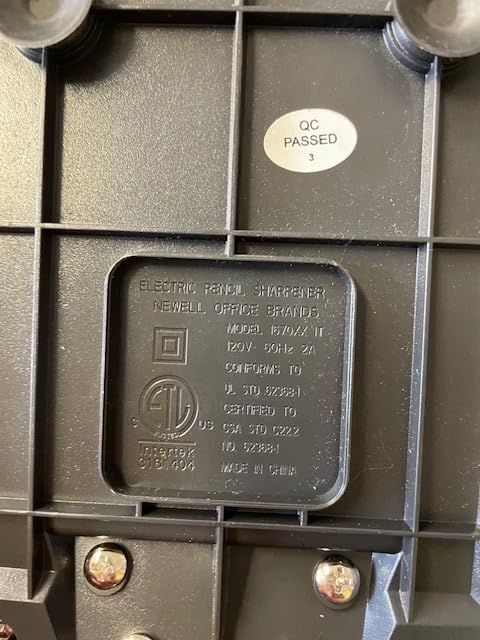
Credit: www.amazon.com
Basic Troubleshooting
Basic troubleshooting helps fix common issues with the X Acto School Pro Pencil Sharpener. It guides you through simple checks and fixes. These steps save time and avoid unnecessary repairs. Follow them carefully to get your sharpener working again quickly.
Checking The Power Source
Make sure the sharpener is plugged in properly. Check the outlet by plugging in another device. Look for any loose connections or damaged cords. Replace batteries if your model uses them. A steady power supply is essential for the sharpener to work.
Clearing Blade Jams
Turn off and unplug the sharpener before clearing jams. Remove any stuck pencil pieces gently. Use a small tool or tweezers if needed. Avoid pushing the jam further inside. Clearing blockages often restores normal sharpener operation.
Inspecting The Blade Condition
Check the blade for dullness or damage. A worn blade will not sharpen pencils well. Replace the blade if it is rusty or bent. Clean the blade area from debris to improve performance. Proper blade care keeps the sharpener efficient and safe.
Advanced Fixes
Advanced fixes for the X Acto School Pro Pencil Sharpener involve careful handling. These steps go beyond basic cleaning and require some technical skill. They help restore the sharpener’s full function.
Replacing The Blades
Blades wear out over time. Dull blades stop the sharpener from working well. To replace the blades, unplug the sharpener first. Remove the cover carefully. Take out the old blades using a screwdriver. Insert new blades in the same position. Tighten screws to secure them. Test the sharpener to check if it works smoothly.
Fixing The Motor
The motor powers the sharpener’s rotation. A faulty motor can cause it to stop. Open the sharpener’s casing to access the motor. Look for loose wires or burnt parts. Tighten any loose connections. Replace damaged parts with exact matches. Reassemble the sharpener. Plug it in and test the motor’s function.
Adjusting Internal Mechanisms
Internal parts control blade movement and pencil fit. Misaligned parts can block sharpening. Open the sharpener carefully. Inspect gears and springs for damage or misplacement. Move parts gently to their correct spots. Tighten any loose screws. Make sure the pencil fits without resistance. Close the sharpener and test the adjustment by sharpening a pencil.

Credit: www.quill.com
Maintenance Tips
Keeping your X Acto School Pro Pencil Sharpener working well requires simple maintenance. Small efforts can prevent most problems. Follow these tips to extend the sharpener’s life and keep it efficient.
Regular Cleaning
Remove pencil shavings after each use. Shavings can block the blades and cause jamming. Use a small brush or a dry cloth to clean inside. Avoid water or liquid cleaners to protect the motor. Clean the sharpening blades gently to avoid damage.
Proper Usage Practices
Only use pencils designed for the sharpener. Avoid very hard or thick pencils that strain the blades. Insert pencils straight without forcing them. Stop sharpening once the pencil is sharp. Overuse can overheat and wear out the sharpener quickly.
Storing The Sharpener
Keep the sharpener in a dry, cool place. Moisture can damage the motor and blades. Store it away from dust and dirt to reduce buildup. Cover the sharpener when not in use to protect it. Proper storage helps maintain sharpener performance and longevity.
When To Replace
Knowing when to replace your X Acto School Pro Pencil Sharpener saves time and stress. Some issues signal that repair is not worth the effort. Recognizing these signs helps you decide quickly. Let’s explore clear clues and cost factors to guide your choice.
Signs Of Irreparable Damage
The sharpener stops working despite basic fixes. The blade is dull, rusted, or broken. The motor makes strange noises or does not run. The device overheats or smells burnt. Cracks or broken parts are visible on the body. The sharpening mechanism jams constantly. These signs show the sharpener may be beyond repair.
Cost Vs Repair Benefits
Repair costs can be high for small devices. Replacement parts may be expensive or hard to find. A new sharpener often costs close to repair price. Repair might only delay the problem temporarily. Buying new ensures full functionality and warranty. Consider how often you use the sharpener too. High use justifies buying a reliable new model.

Credit: www.amazon.com
Frequently Asked Questions
Why Is My X Acto School Pro Sharpener Not Working?
The sharpener may be jammed, the blade dull, or the power source disconnected.
How Can I Fix A Jammed X Acto Pencil Sharpener?
Turn it off, remove the pencil, and clear any stuck shavings carefully.
What Causes The X Acto Sharpener Blade To Stop Spinning?
A dull blade, motor issues, or electrical problems can stop the blade from spinning.
Can A Dull Blade Cause The Sharpener To Fail?
Yes, a dull blade cannot sharpen pencils properly and may stall the device.
How Do I Know If The Sharpener’s Motor Is Broken?
If it doesn’t run or makes strange noises, the motor might be damaged.
Conclusion
X Acto School Pro pencil sharpener issues can be fixed with simple steps. Check for jammed blades or broken parts first. Clean the sharpener carefully to remove debris inside. Make sure the power source works well and connections are secure.
Small problems often cause the sharpener to stop working. Taking time to inspect and maintain can save money. Keep your sharpener in good shape for smooth use. Regular care helps avoid future troubles and keeps pencils sharp. Easy fixes mean less frustration and more schoolwork done.
Try these tips before thinking about replacement or repair.